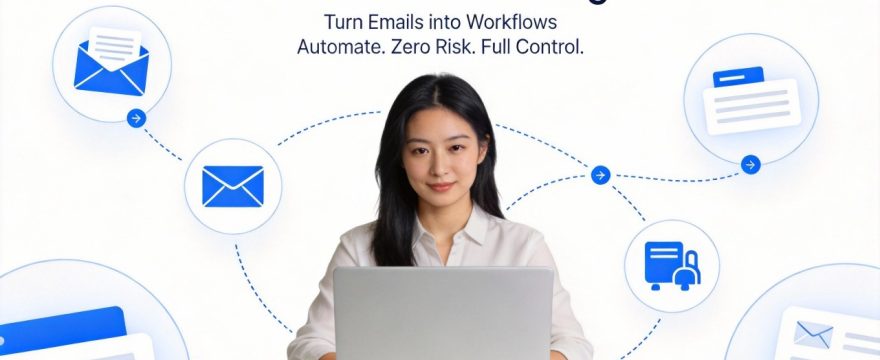
In international trade, manufacturing, and logistics, many critical actions don’t start with someone clicking around in a system—they start with an email: a customer sends an RFQ, a supplier replies with a quote, a buyer issues a PO, a forwarder shares waybill or packing details. It looks like “just email,” but for an enterprise it’s really the entrance to a production workflow—misclassify one message, misread one document, or miss one milestone, and every downstream team pays for it in rework, delays, compliance risk, and cost.
Think of an Email Agent as a practical “digital coworker.” It’s not a chatbot. It’s a workflow assistant that understands trade documents, triages tasks correctly, and drives work to closure—with each step traceable, explainable, correctable, and reusable the next time.
1. AI Agent delivery: from “answers” to “outcomes”
By 2025, the enterprise consensus is clearer: getting Agents into production is mostly about engineering and governance—not just swapping in a bigger model. The repeatable themes look like this:
Workflow-first
: break work into controlled steps (ingest → recognize → extract → validate → route/integrate → audit trail), and let the model handle only what it should.
Tool use & integration
: an Agent shouldn’t just produce text—it should call tools and finish the job (CRM/ERP/OA/AMS/AMOS…).
Observability & evaluation
: you can inspect the evidence trail for every step, and run A/B tests and regression evaluations on thresholds and policies.
Human-in-the-loop memory
: correct it once, and it should hit the right path next time—so the system gets more aligned with your business instead of “starting over” every run.
Email intake is an ideal proving ground: stable inputs, a long value chain, clear ROI, and natural integration points.
2. Why email is the front door for B2B (and the messiest one)
What B2B email looks like in real life:
The payload isn’t in the body
: the body might be “please see attached,” while the real information is in PDF/image attachments.
Long threads
: the same RFQ/order evolves across multiple messages; details are fragmented.
High stakes
: treating a PO like a quote, or missing a waybill milestone, directly impacts delivery, reconciliation, and compliance.
Cross-system reality
: email is only the trigger; the actual work lands in downstream systems (CRM/ERP/OMS/TMS/OA…).
So the goal isn’t to “chat through every email.” The goal is to turn email into a workflow that’s actionable, auditable, and collaborative.
3. The four most common trade emails/documents
These four categories cover most of the core trade email flow—and they’re the best place to start automation:
Enquiry (RFQ)
: multiple rounds; details are often in RFQ forms/attachments.
Quotation
: the attachment is the quote; vendor templates are fairly consistent but evolve by version.
Purchase Order (PO)
: a hard commitment; the PO number is the strongest anchor; scanned PDFs are common—validate against ERP/OMS whenever possible.
Waybill / Bill of Lading / packing-related documents
: the body is often empty; layout is highly distinctive—for these, “reading the layout” is often more reliable than reading a few sentences.
4. Why “one big model doing end-to-end classification” isn’t enough
Feeding subject+body to a large model and asking for a label looks simple, but production reality hits three hard problems:
The key content is in attachments
: if the input is incomplete, even a strong model is guessing.
The business needs explainability
: “the model thinks it looks like X” isn’t acceptable—teams need an evidence trail (matched rules, extracted identifiers, system validation results, attachment citations).
Risk control
: the real risk isn’t only hallucination—it’s automation that executes the wrong action and causes loss.
A more reliable path is deterministic first, intelligence second, with layered fallbacks—and every step explicitly logged so the whole system is debuggable.
5. A production-ready approach: strict priority “layered decisions + memory”
The key to making an Email Agent controllable is to bake reliability into the workflow itself. A production-ready cognitive pipeline can look like this:
5.1 The Agent flow (email → business actions)

5.2 Strict priority: deterministic first, model second
A structure that holds up in production (from most deterministic to least deterministic):
Phase 0: human-in-the-loop memory
If a similar case was corrected before (same domain/vendor/template), let the memory hit override the rest: teach it once, reuse it next time.
Phase 1: deterministic guardrails
Attachment filename keywords > subject keywords > body keywords > domain match. If a rule hits, output the result and record which rule hit and what evidence supported it.
Phase 2: structured extraction and validation (regex/OCR → system of record)
Extract strong identifiers first (PO number, waybill/BOL number, invoice number), then validate existence and status in ERP/OMS/TMS/AMOS… If the system of record confirms it, the result is usually reliable.
Phase 3: LLM semantic reasoning + multimodal fallback (Visual RAG)
Call the model when text is sparse or uncertain; if it’s still unclear, add page-one layout features and visual similarity (especially helpful for waybills and packing lists).
The point isn’t “never use a model.” It’s putting the model in the right place: generalize, handle edge cases, and serve as a fallback—while letting high-risk decisions lean on explainable deterministic signals and system validation.
6. Where “90%+ automation” actually comes from
Teams are right to be skeptical of “90% automation.” It doesn’t mean “90% of emails never need a human.” It means 90%+ of day-to-day effort shifts from opening emails, copying/pasting, and manual forwarding to automated handling—plus a small amount of review and correction.
In practice, it’s usually a combination of these five:
Auto-classify and route
: emails land in the right bucket (RFQ/Quote/PO/Waybill) with priority and risk flags.
Auto-extract fields
: pull key fields from attachments/body (PO number, currency, lead time, destination port, tracking/BOL number…).
Auto-validate and enrich
: use downstream systems as the source of truth (existence, status, customer/vendor master-data match).
Auto-create tasks/tickets/approvals
: create work items in OA/ticketing with evidence links and a “missing fields” checklist.
Auto-capture memory
: one-click corrections write back to a memory store, so similar emails hit the right decision path next time.
The steady state: the Agent turns email into structured tasks + an evidence trail, and humans handle only the high-risk or uncertain cases.
7. Integrations: the jump from “recognition” to “closed loop”
Email Agent ROI rarely comes from “+1% classification accuracy.” It comes from skipping a step, avoiding rework, and preventing missed orders. A practical integration path moves from low intrusion to deeper closure in three layers:
Read-only validation (start here)
: query ERP/CRM/AMOS/OA to validate and enrich—no writes.
Write tasks/tickets (often the biggest win)
: create tickets/tasks/approvals with minimal fields plus evidence links.
Controlled execution (do this last)
: allow automatic actions only when “high confidence + rule hit + system validation passed + approval passed” (e.g., auto-update status, send a templated reply).
Principle: make it correct first, then make it fast, then consider full automation.
8. What IT cares about most: hallucinations, long context, and training
8.1 Hallucinations
Approach: make the model guess less; make the system verify more.
Deterministic first
: rules/structured extraction/system validation come before the LLM.
Structured output
: limit the model to JSON (type, confidence, evidence references) instead of “essay answers.”
Evidence trail
: every conclusion must include sources (matched rules, extracted fields, attachment page/OCR snippets, system validation results).
Safety boundaries
: don’t auto-execute high-risk actions by default (placing orders, payments, sensitive replies); require approval or human confirmation.
8.2 Long threads (long context)
Approach: don’t stuff “all history” into context—use thread memory plus event summaries.
- Maintain a thread-level event timeline (RFQ → Quote → PO → Waybill) and feed the model only what the current decision needs.
- Structure attachments first (OCR, table extraction, layout features), then retrieve and assemble relevant snippets.
- Use chunking plus confidence thresholds: if it’s uncertain, route it to review instead of forcing a conclusion.
8.3 Do you need pretraining or fine-tuning?
Conclusion: for most email-intake scenarios, you don’t need to pretrain from scratch. “RAG + rules + memory + validation” is usually faster and more stable.
Consider fine-tuning only when:
- Categories/templates are highly consistent and you have enough data (e.g., extremely strict extraction consistency for a specific document type).
- You must reliably output a fixed field set and format, and structured output + validation still isn’t enough.
- Compliance requires a self-hosted model or a specific deployment form factor.
A better rollout sequence: no fine-tuning → converge with small-sample rules + memory → add lightweight, measurable fine-tuning later (rollbackable, evaluable).
9. What the business wants: reliable, explainable, and actually helpful
Reliable
: cases that hit rules/memory and pass system validation can flow automatically; low-confidence cases go to review.
Explainable
: each email should show why it was classified—sources, decision path, and fields you can verify.
Helpful
: beyond classification, it should recommend next actions (what’s missing, who owns it, which system checks are needed).
When users can see evidence, confidence, next actions, and one-click correction that the system remembers, adoption goes up fast.
10. Rollout path (0 → 1 → N)
To make this work in a real business, a four-phase rollout is usually the safest pace:
Phase 1: ingestion + observability (1–2 weeks)
Stabilize IMAP/Graph ingestion, incremental scans, multi-folder support, time filters, and attachment parsing; ship a debug console with step-by-step traces.
Phase 2: stable coverage for the four core types (2–4 weeks)
Implement layered decisions: memory → rules → structured extraction + validation → LLM + visual fallback; route all uncertainty to review.
Phase 3: integrate downstream systems to close the loop (4–8 weeks)
Start with read-only validation, then create tasks/tickets, then controlled execution; connect key nodes like CRM/ERP/OA/AMOS.
Phase 4: continuous learning + scale (ongoing)
Close the correction loop, iterate thresholds and rules, monitor drift, and run weekly/monthly regression evaluations so the system gets steadier over time.
11. Measuring outcomes (don’t fixate on model scores)
Track three classes of metrics:
Model/classification
: accuracy, macro-F1, recall for critical classes (PO/waybill).
Operations
: human review rate, correction rate, end-to-end processing latency.
Business
: reduced missed orders, faster response times, fewer rework cycles, fewer reconciliation/delivery exceptions.
If you only track “classification accuracy,” it’s easy to end up with lots of engineering and little business impact. Integrations and closed-loop operations are what amplify value.
12. Security, compliance, and guardrails (define them up front)
No auto-send / auto-order / auto-pay by default
: high-risk actions require approval or a human in the loop.
Least privilege + audit
: redaction where needed, permission isolation, end-to-end logging.
Reversible
: any automated decision can be overridden by a human, with a traceable record.
Replayable
: use a debug console to replay inputs/outputs and pinpoint whether issues came from rules, thresholds, parsing, OCR, or the model.
Closing: Email Agent isn’t a gimmick—it’s a deliverable workflow engine
Enterprises don’t lack AI that can “talk.” They lack systems that turn email into operational order: controllable, learnable, explainable, and integratable.
When an Email Agent reliably covers RFQs/Quotes/POs/Waybills, shows its evidence at each step, and routes work into downstream systems like CRM/ERP/OA/AMOS, it stops being a demo and becomes something teams rely on every day.